Maintaining the pristine condition of your audio gear is essential for both longevity and hygiene. If you are wondering how to clean Beats headphones, you are likely noticing a buildup of oils, dust, or sweat after regular use. Because these devices are worn against the skin for extended periods, they naturally accumulate debris that can affect sound quality and comfort.
Whether you own the over-ear Beats Studio line or the compact Studio Buds, following a structured cleaning routine ensures that your investment remains in top shape. Proper maintenance prevents the degradation of materials, ensuring that your listening experience remains as crisp as the day you unboxed your device.
Why Routine Cleaning Matters for Your Beats
Routine cleaning is the most effective way to extend the lifespan of your audio equipment and maintain optimal performance. When you wear Beats headphones daily, the device is exposed to environmental factors like dust, humidity, and natural body oils. Over time, these substances can penetrate the porous materials of the ear cushions or the delicate mesh of the drivers, leading to muffled audio or mechanical issues.
Furthermore, failing to sanitize your equipment can lead to the accumulation of bacteria, which may cause skin irritation or breakouts around the ear area. By establishing a simple, consistent cleaning schedule, you protect your skin health and ensure the internal components are not compromised by moisture or debris.
Beyond hygiene, aesthetic maintenance is a major factor for many users. The sleek finish of premium audio products often hides fingerprints and smudges that can make them look worn. More importantly, if you use your headphones after workouts, the corrosive nature of salt from perspiration can cause the synthetic leather on headbands and ear pads to crack or peel prematurely.
Neglecting these areas often leads to a shorter operational life for the product. Taking just a few minutes every week to wipe down your equipment helps preserve the structural integrity of the headband and the soft touch of the ear cushions, keeping them looking and feeling brand new.
Essential Tools and Materials for Safe Cleaning
When learning how to clean Beats headphones, the most important rule is knowing what to avoid. Many users mistakenly reach for household cleaners, bleach, or abrasive towels, which can permanently damage the finish or the acoustic seals of the headphones earphones.
To safely remove grime, you only need a few basic, non-abrasive items. The goal is to use a clean dry cloth or a lightly dampened microfiber cloth to remove surface-level impurities without introducing excess moisture into the delicate internal hardware.
- Microfiber cleaning cloth (lint-free is best)
- Small, soft-bristled brush (a clean toothbrush works well)
- Distilled water (only if necessary)
- Cotton swabs for tight crevices
- Small amount of mild, diluted hand soap (use sparingly)
It is critical to note that you don’t use harsh chemicals, aerosol sprays, or window cleaners on your equipment. These substances can strip the protective coatings off the plastic or cause the ear cushions to harden and lose their shape. Always prioritize gentle, mechanical cleaning methods over chemical solutions.
If you encounter stubborn residue, a slightly damp cloth is sufficient; ensure the device is completely dry before you attempt to use it again. Consistency with these specific tools ensures you don‘t inadvertently damage the sensors or the noise-canceling microphones housed within the casing.
Removing Sweat and Debris from Over-Ear Models
For users with over-ear models like the Beats Studio or Solo series, sweat management is the primary challenge. Because these headphones cover the ears entirely, moisture can become trapped between the ear pad and the speaker driver. After an intense gym session, it is vital to wipe down the exterior of the ear cups and the headband.
Use a soft, lint-free cloth to remove any visible sweat immediately. If you notice a lingering odor or significant salt buildup, use a cloth that is just barely damp with water to gently wipe the surfaces.
Cleaning the Ear Cushions
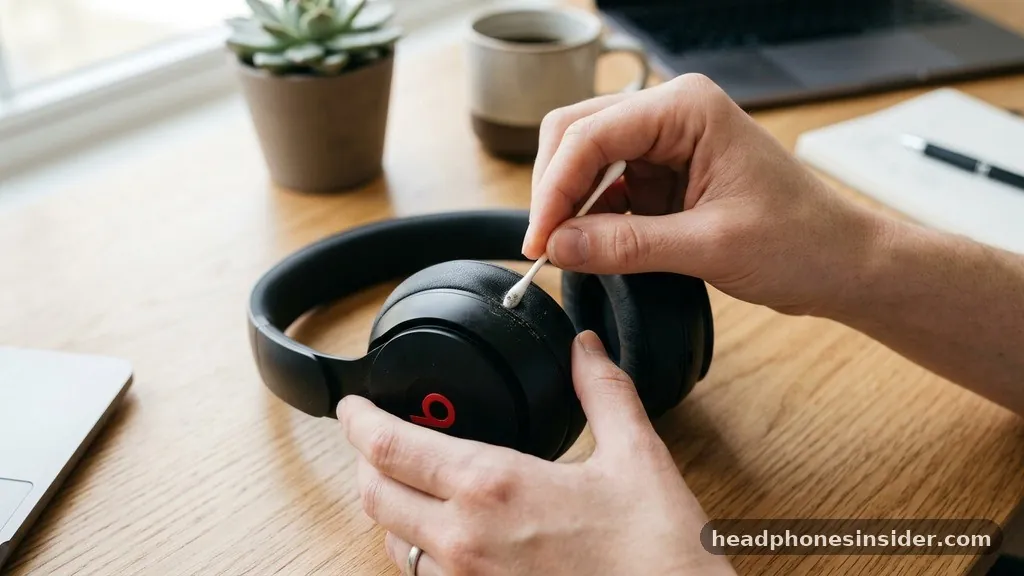
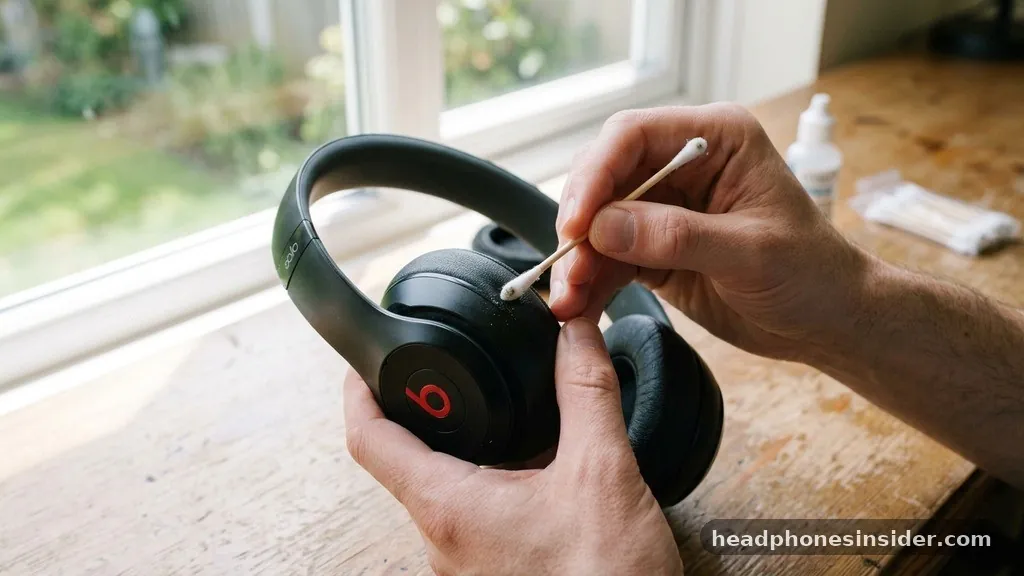
The ear cushions are the most sensitive part of the beats headphones structure. To properly clean them, start by gently wiping the surface with a dry cloth to lift away oils. If the cushions are removable, you can take them off to clean the area underneath, which often traps dust and lint. Use a cotton swab to reach into the seams where the cushion meets the plastic housing. If you find sticky residue, use a very small amount of mild soap diluted in water, but ensure the cloth is wrung out until it is almost dry. Never soak the cushions, as the moisture can ruin the internal foam and degrade the adhesive bonding the fabric to the base.
Maintaining the Headband
The headband often collects hair products and sweat, which can lead to material degradation over time. Wipe the top and underside of the headband using a gentle, circular motion. If the material is synthetic leather, avoid using anything that might dry it out, such as alcohol-based wipes. If you notice signs of wear, such as flaking, it is often a sign that the material has been exposed to too much moisture or heat. Regular wiping keeps the surface clean and prevents the buildup of substances that accelerate the breakdown of the headband’s padding.
Sanitizing In-Ear Models and Buds
If you use Studio Buds, Beats Fit Pro, or other in-ear variations, the cleaning process requires more precision due to the small size of the components. These devices are inserted directly into the ear canal, making earwax buildup a common issue that can lead to sound degradation. To clean your buds beats effectively, start by removing the silicone eartips.
These can be washed separately in warm water with a drop of mild soap. Ensure they are 100% dry before reattaching them to the earbuds.
Clearing the Mesh Filters
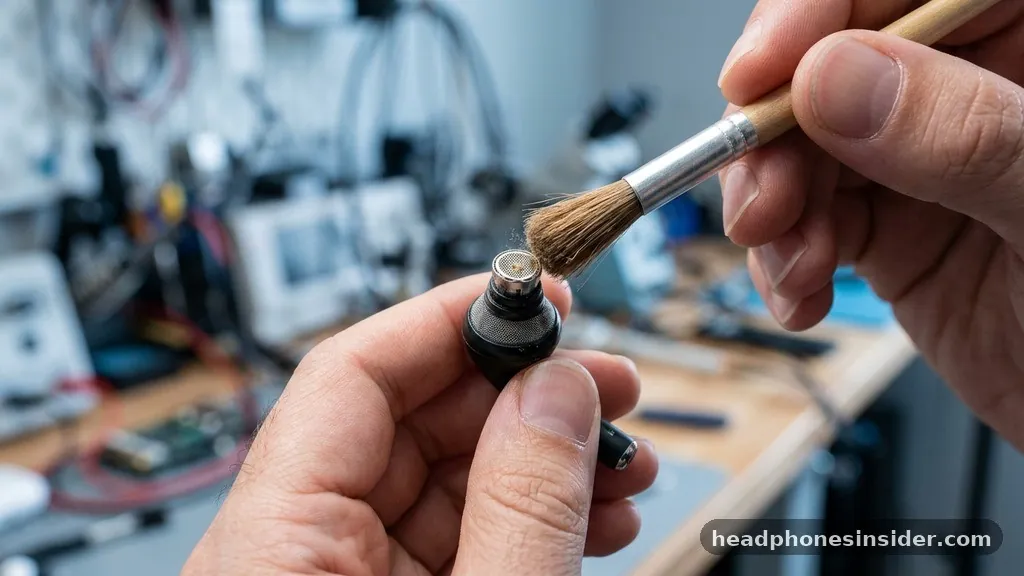
The metal mesh filter inside the earbuds is where the sound exits. If this gets clogged with wax, you will notice a significant decrease in volume or clarity. Use a dry, soft-bristled brush to gently sweep away any debris from the mesh. Do not push the debris further into the hole. If you see wax that won’t budge, a dry cotton swab can be used to lightly lift it out. Always hold the earbud with the mesh facing downward so that dislodged particles fall out rather than falling back into the speaker housing.
The Charging Case
The case is often overlooked, yet it is a major source of dirt and lint. Since the case is where your earbuds spend most of their time, a dirty case will re-contaminate your cleaned earbuds immediately. Use a dry cloth to wipe the interior of the case. For the charging pins, use a clean, dry cotton swab to gently remove any lint that might be preventing a solid connection. Keeping the charging contacts clean is essential for ensuring your Powerbeats or Studio Buds charge consistently every time you place them in the housing.
Addressing Skin Irritation and Allergies
Many users experience skin irritation not because of the materials themselves, but because of the trapped moisture and bacteria that accumulate during extended wear. When you avoid skin irritation, you must ensure that your headphones are kept dry and clean.
If you have sensitive skin, it is a good practice to wipe down your headphones with a dry cloth before every use to remove any oils from your last session. If you notice redness or itching, take a break from wearing the device to allow your skin to heal.
| Component | Cleaning Frequency | Best Practice |
|---|---|---|
| Ear Cushions | Weekly | Dry wipe, use damp cloth only if needed |
| Headband | Bi-weekly | Use a dry, lint-free microfiber cloth |
| Earbud Eartips | Weekly | Remove and wash with mild soap/water |
| Charging Case | Monthly | Dry brush or cloth, avoid moisture |
If you continue to experience discomfort, consider the right fit for your ears. Often, a poor fit causes the device to rub against the skin, creating friction that leads to irritation. For those using the Beats Fit series, ensure the wingtips are positioned correctly.
If the device feels too tight or is constantly shifting, it is more likely to cause chafing. By ensuring the device sits comfortably and is cleaned of sweat, you can minimize the risk of contact dermatitis or other skin-related issues.
You can find more information on general device hygiene at the official U.S. Food and Drug Administration medical device resource page to understand how materials can interact with skin over time.
Solving Common Maintenance Issues
One of the most frequent questions regarding care beats involves what to do when the material starts to peel. Unfortunately, once the synthetic leather on a headband or ear cushion begins to flake, it is usually a sign that the material has reached the end of its life.
While you cannot “fix” peeling material, you can prevent it from spreading by keeping the area clean and free of sweat. Once the peeling becomes uncomfortable, it is best to replace the ear pads rather than attempting to glue or tape them, as adhesives can damage the plastic and create a breeding ground for bacteria.
Another common issue is the “stinky” headphone syndrome, which occurs when sweat is absorbed into the foam of the ear pads. If your headphones have developed an odor, do not spray them with perfume or heavy cleaners, as this will only mask the smell and potentially damage the electronics. Instead, place them in a well-ventilated area to air out.
You can also use a small packet of silica gel near the headphones in your storage case to help absorb lingering moisture. If the smell persists, it is a clear indicator that the pads have absorbed too much moisture and should be replaced for hygiene reasons.
Finally, always ensure that your headphones earphones are completely dry before putting them back into their storage case. Closing a damp device in a case creates a humid micro-environment that promotes mold and bacterial growth.
After cleaning, let them sit out on a clean surface for at least an hour. This step is often skipped, but it is the most effective way to prevent long-term damage to the internal electronics and maintain a fresh, clean scent.
Maintaining Long-Term Audio Quality
Preserving the sound quality of your audio equipment requires more than just physical cleaning; it involves protecting the delicate components from the inside out. When debris enters the driver housing, it can dampen the vibration of the speaker, leading to a loss of bass response or distortion in the high frequencies.
By keeping the exterior clean, you prevent these particles from migrating toward the sensitive internal components. Regular maintenance of the mesh screens on your beats headphones is the best defense against sound degradation.
Remember that don’t use is a rule that applies to more than just chemicals. It also applies to physical force. Never use sharp objects like needles or paperclips to dig into the speaker mesh or charging ports.
This can easily puncture the thin membrane of the speaker or short-circuit the electrical contacts. If you find a stubborn piece of debris that a soft brush cannot remove, it is better to seek professional cleaning services or use a can of compressed air held at a safe distance. Precision and patience are your best tools when dealing with high-end audio hardware.
Conclusion
Taking care of your Beats headphones is a straightforward process that pays dividends in both sound performance and physical longevity. By following these steps—regularly wiping down the exterior with a clean cloth, ensuring the charging pins are free of debris, and allowing the device to air out after every workout—you effectively mitigate the risks of material degradation and skin irritation. Remember that the key is consistency; a quick wipe after each use is significantly more effective than a deep, infrequent cleaning.
By treating your equipment with care and avoiding harsh chemicals, you ensure that your headphones continue to deliver the high-quality audio you expect. If you encounter persistent technical issues or significant material wear, consider reaching out to authorized support channels to explore replacement parts or professional assistance. Keep your device clean, and it will keep your music sounding exactly as it should.
Frequently Asked Questions
Can I use Clorox wipes on my Beats headphones?
No, you should not use Clorox wipes or any bleach-based household disinfectant on your headphones. These chemicals are too harsh and can strip the protective finish, dry out synthetic leathers, and potentially damage the internal electronic components of the device.
How do I remove sweat from my Beats after a workout?
Immediately after a workout, use a soft, dry, lint-free microfiber cloth to wipe away all visible sweat from the ear cushions and headband. If the sweat is heavy, ensure you allow the headphones to air dry in a well-ventilated area before placing them in a case.
My Beats headphones are peeling; can I fix this?
Peeling is a sign of material degradation due to age, heat, or moisture exposure. You cannot repair the peeling material, but you can prevent further damage by keeping the cushions clean. For comfort and hygiene, it is highly recommended to purchase and install replacement ear pads.
Is it safe to use soap and water on my headphones?
You should avoid using liquid directly on the headphones. If you must use soap, use a very small amount of mild hand soap diluted in water, and dampen a cloth with it—never saturate the cloth. Ensure the device is completely dry before using it again.