
Then, Quest audio meant settling for whatever the headset delivered, with tangled cables and limited fit choices. Now, dedicated earbuds, clip-ons, over-ear designs, and audio head straps give you more ways to shape sound and comfort.
That variety makes the best headphones for meta quest 3 a personal choice, not a single winner. The comparison ahead sorts the key differences, so keep reading to match the right audio setup to your VR sessions.
Key Takeaways
- Prioritize connector compatibility, especially if you need USB-C charging or a 3.5mm audio connection.
- Check cable length and routing so the cord stays clear of your hands, controllers, and facial interface.
- Choose ear-tip sizes or adjustable pads that support a secure fit without creating pressure during longer sessions.
- Look for noise isolation if you want stronger immersion, but consider open or clip-on designs for better awareness of your surroundings.
- If you want fewer accessories, compare battery capacity, strap support, and charging features in all-in-one audio head straps.
| Continuous Charging Pick | 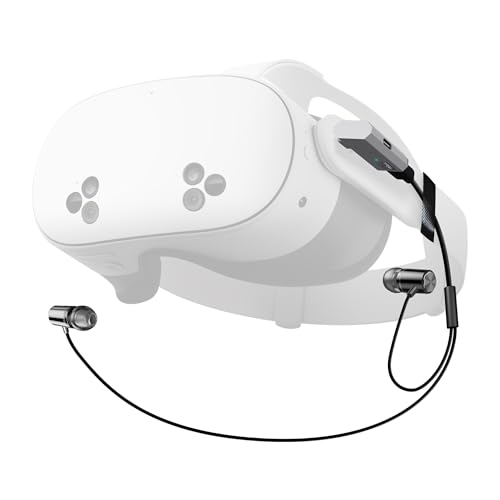 |
Orzero USB-C Charging Headphones | USB-C audio connection | Charging adapter included | Supports continued charging | View on Amazon | Read Review |
| Quiet Room Audio | 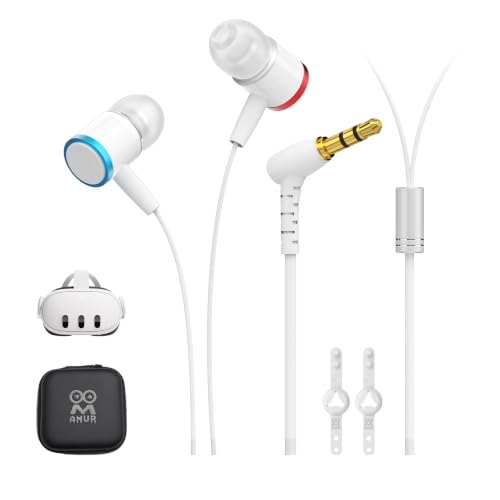 |
AMVR Noise-Isolating Earbuds | Noise-isolating ear tips | Custom silicone plugs | Strap holder included | View on Amazon | Read Review |
| Immersive Over-Ear Comfort |  |
SARLAR Memory Foam Headphones | Memory protein ear pads | Noise-isolating design | Custom-length cable | View on Amazon | Read Review |
| Integrated Audio Strap |  |
KIWI design K4 Audio Strap | Integrated audio and strap | Built-in battery | Fits Quest 3 series | View on Amazon | Read Review |
| Simple Clip-On Audio |  |
VR Clip-On Headphones | Clip-on headset design | Compact audio format | Supports Quest 2 and 3 | View on Amazon | Read Review |
| Flexible Ear Tip Fit | 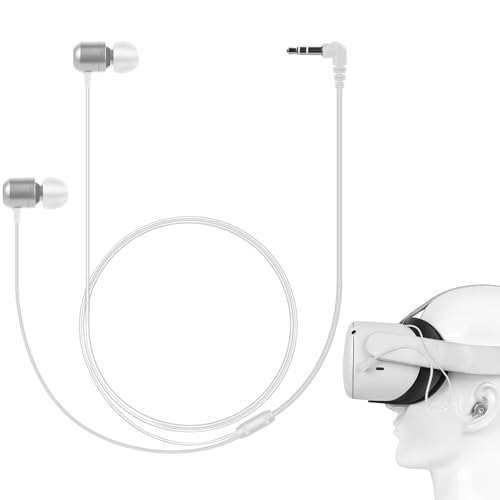 |
GEEKRIA 3.5mm VR Earbuds | Three ear tip sizes | 3.5mm aux connection | Stereo immersive sound | View on Amazon | Read Review |
| Tidy Cable Setup | 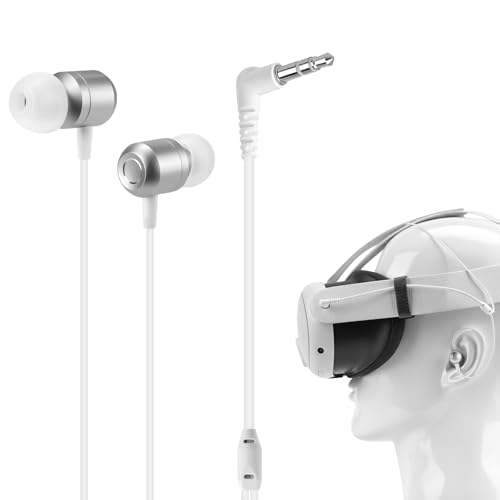 |
GEEKRIA Short-Cable Earbuds | Short earbud cable | Three tip sizes | 3.5mm audio connection | View on Amazon | Read Review |
| Quest 2 Sound Upgrade |  |
AMVR Quest 2 Earbuds | Noise-isolating earbuds | Silicone holders included | 3D surround sound | View on Amazon | Read Review |
| Open-Fit Sound Focus |  |
Quest 3 On-Ear Sound Collectors | On-ear earflap design | No in-ear tips | Quest 2 and 3 fit | View on Amazon | Read Review |
| Maximum Battery Reserve |  |
Kawaye 10000mAh Battery Strap | 10000mAh battery pack | Hot-swap battery design | Dual adjustment knobs | View on Amazon | Read Review |
More Details on Our Top Picks
-
Orzero USB-C Charging Headphones
For Quest 3S owners, Orzero is the clearest choice if you want wired audio without giving up access to charging. Its USB-C design includes a PD100W charging adapter, allowing audio and power connections in one setup.
The main limitation is compatibility. The title specifically identifies Quest 3S, so confirm the port layout before choosing it for a standard Quest 3, and expect a cable connection rather than wireless freedom.
- Brand:Orzero
- Product Type:USB-C headphones
- Compatibility:Quest 3S
- Connection:USB-C
- Fit Style:Headphones
- Additional Feature:PD100W charging adapter
- Additional Feature:Continuous charging design
- Additional Feature:Black finish
-
AMVR Noise-Isolating Earbuds
AMVR’s in-ear design suits players who want stronger sound isolation during VR sessions. Custom silicone earplugs and a strap holder help keep the earbuds positioned, while the low-bass tuning adds weight to games, music, and cinematic scenes.
Choose these for a more enclosed listening experience than the headset’s built-in speakers. The tradeoff is a wired in-ear fit, which may feel less comfortable if you prefer open, lightweight audio.
- Brand:AMVR
- Product Type:In-ear headphones
- Compatibility:Meta Quest 3
- Fit Style:In-ear
- Additional Feature:Low-bass audio tuning
- Additional Feature:360-degree surround sound
- Additional Feature:Silicone earplug options
-
SARLAR Memory Foam Headphones
SARLAR is aimed at players who prefer fuller ear coverage over compact earbuds. Memory protein ear pads, noise isolation, and an optimized gaming audio driver create a more enclosed setup for longer game sessions.
The custom-length cable can help reduce loose wire around the headset, but it still leaves you tethered to the device. Its larger headphone format may also add more bulk than in-ear alternatives.
- Brand:SARLAR
- Product Type:Gaming headphones
- Compatibility:Quest 2 and Quest 3
- Connection:Wired cable
- Fit Style:Over-ear
- Additional Feature:Optimized gaming audio driver
- Additional Feature:Custom-length cable
- Additional Feature:Noise-isolating ear pads
-
KIWI design K4 Audio Strap
The K4 Duo combines head-strap support and audio in one accessory, which suits Quest 3 and Quest 3S users who want fewer separate pieces attached to the headset. Its built-in battery also addresses a common VR annoyance: a session ending just as the action gets good.
The main drawback is that the battery capacity is not specified in the supplied details, so runtime cannot be judged here. A combined strap and battery design may also feel bulkier than standalone headphones.
- Brand:KIWI design
- Product Type:Audio head strap
- Compatibility:Quest 3 and 3S
- Fit Style:Head strap
- Battery:Built-in
- Additional Feature:K4 Duo design
- Additional Feature:Head-strap support
- Additional Feature:Battery-assisted play sessions
-
VR Clip-On Headphones
These clip-on headphones suit Quest owners who want a compact audio add-on rather than full-size ear cups or separate earbuds. The clip-on format is designed for direct attachment to the VR headset, keeping the audio hardware close to the ears.
The available details do not identify the connector, audio tuning, or adjustment system, so those points need checking before purchase. Compatibility is listed for Quest 3 and Quest 2, which makes this a flexible pick across both headsets.
- Product Type:Clip-on headphones
- Compatibility:Quest 2 and Quest 3
- Fit Style:Clip-on
- Additional Feature:Direct headset attachment
- Additional Feature:VR accessory format
- Additional Feature:Quest 3 compatibility
-
GEEKRIA 3.5mm VR Earbuds
GEEKRIA makes a practical case for players who want wired earbuds with fit options. The package includes small, medium, and large ear tips, while the 3.5mm connection supports a straightforward setup with compatible VR headsets.
This is a good choice if interchangeable tips matter more than wireless convenience. The limitation is the 3.5mm cable, which adds a physical connection and may require careful routing around the headset strap.
- Brand:GEEKRIA
- Product Type:Wired earbuds
- Compatibility:Quest 3, Pico Neo 3, HTC Vive
- Connection:3.5mm aux
- Fit Style:In-ear
- Additional Feature:S/M/L ear tips
- Additional Feature:Stereo sound
- Additional Feature:VR gaming accessory
-
GEEKRIA Short-Cable Earbuds
The short-earbud format is built for a cleaner VR cable arrangement, with less slack hanging near your shoulders. GEEKRIA also includes S, M, and L ear tips, giving you a basic way to refine the fit.
Its 3.5mm aux connection keeps setup simple, though it does not offer wireless freedom. The supplied details also do not specify the audio driver or isolation level, so this model is best for straightforward wired listening.
- Brand:GEEKRIA
- Product Type:Wired earbuds
- Compatibility:Meta Quest 3
- Connection:3.5mm aux
- Fit Style:In-ear
- Additional Feature:S/M/L ear tips
- Additional Feature:360-degree sound
- Additional Feature:Silver finish
-
AMVR Quest 2 Earbuds
AMVR’s Quest 2 earbuds are aimed at players who want in-ear sound with a more enclosed presentation than the headset speakers provide. The included silicone holders help keep the earphones organized, while the noise-isolating design supports a more focused session.
The key limitation is compatibility. This model is described as custom-made for Quest 2, so Quest 3 owners should not assume a direct fit without confirming connector placement and headset clearance.
- Brand:AMVR
- Product Type:In-ear headphones
- Compatibility:Meta Quest 2
- Fit Style:In-ear
- Additional Feature:3D 360-degree sound
- Additional Feature:Custom silicone holders
- Additional Feature:White finish
-
Quest 3 On-Ear Sound Collectors
This earflap-style accessory is for players who want on-ear coverage without inserting earbuds into the ear canal. Its sound-collector design aims to direct more of the headset audio toward the ears, which can make the listening setup feel more focused.
The open-style format may suit users who dislike in-ear tips, but it offers less isolation than sealed earbuds. The supplied details do not list a cable, driver, or battery, so audio performance information is limited.
- Product Type:On-ear ear protector
- Compatibility:Quest 2 and Quest 3
- Fit Style:On-ear
- Additional Feature:Sound-collector ear flaps
- Additional Feature:Enhanced audio focus
- Additional Feature:VR headset accessory
-
Kawaye 10000mAh Battery Strap
Kawaye is best for long VR sessions where battery capacity matters more than a minimal setup. The 10000mAh hot-swap battery pack, double adjustment knobs, and two large support pads are designed to extend playtime while spreading headset pressure.
This is a head strap rather than a dedicated headphone solution, so it may not improve audio by itself. Its large battery pack also adds weight and bulk, making it less appealing if you want a light, compact headset.
- Brand:Kawaye
- Product Type:Battery head strap
- Compatibility:Quest 2, Quest 3, Quest 3S
- Fit Style:Head strap
- Battery:10000mAh
- Additional Feature:Two large support pads
- Additional Feature:Pressure-reducing design
- Additional Feature:Enhanced headset support
Frequently Asked Questions
Can You Use Any Headphones With Meta Quest 3?
Most 3.5mm wired headphones work with the Meta Quest 3, including earbuds, on-ear headphones, and many gaming headsets. Plug them into the headset’s audio jack, then adjust the volume through the headset controls. USB-C headphones may also work, but support is less predictable across models. Bluetooth headphones can pair in some situations, though latency and microphone support may be inconsistent.
Are Wireless Headphones Good For Meta Quest 3?
Wireless headphones can be convenient, but standard Bluetooth models may produce noticeable audio delay, especially in rhythm games, action titles, and menus with sound effects. They also require separate charging and may not provide reliable voice chat. A wireless gaming headset with its own low-latency USB transmitter can reduce delay, but compatibility depends on the headset, transmitter, and Quest 3 setup. For the simplest connection, wired headphones remain the safer choice.
Does Meta Quest 3 Support Surround Sound Headphones?
Headphones with “7.1 surround” branding are not required for Quest 3. The headset and software handle spatial positioning, while the headphones reproduce the left and right audio channels. Choose a comfortable stereo pair with clear sound rather than paying extra for virtual surround processing. Extra processing can add delay or alter positional cues, which is not exactly helpful when a virtual object is already sneaking up from behind.
Can You Use Headphones With The Quest 3 Microphone?
Many wired earbuds and gaming headsets with a four-pole 3.5mm plug support both audio and microphone functions. Headsets with separate audio and microphone plugs usually need an adapter, and some headphone microphones may not be recognized correctly. If microphone support is essential for multiplayer chat, check the product specifications for Quest compatibility, headset microphone support, and the correct single-plug connection before buying.
What Headphones Are Best For Exercise And Active VR Games?
Choose secure-fitting earbuds or lightweight on-ear headphones with a short cable and grippy ear tips. Avoid loose models that can shift during movement, and keep the cable routed away from the controllers. Open-back or semi-open designs can help you remain aware of nearby sounds, while closed-back headphones offer stronger isolation. Keep the volume moderate so you can still hear important room cues, including guardian warnings and someone politely asking you to stop punching the furniture.