Losing a pair of high-end audio gear is a frustrating experience, and many users often wonder if they can track Beats headphones when they go missing. The short answer is that it depends heavily on the specific model you own and whether it integrates with Apple’s Find My network.
While Apple-owned Beats products have evolved to offer better connectivity and tracking capabilities, they do not always function exactly like an iPhone or a MacBook. Understanding the technical limitations and the software requirements is the first step in determining whether you can recover your lost device.
In this article, we will explore the nuances of tracking your audio equipment, the role of the Beats app, and how to maximize your chances of recovery if your gear is misplaced. By diving into the technical specifications and ecosystem requirements, we can clarify exactly what is possible regarding the location tracking of your favorite headphones.
The Role of Apple’s Find My Network
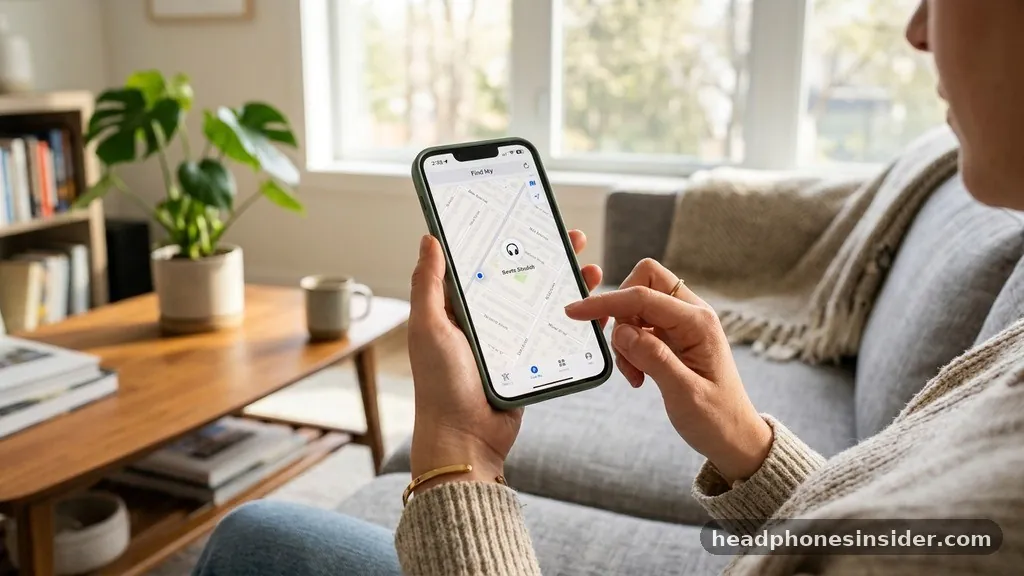
Apple’s Find My network is the primary system that allows users to locate their devices. For most modern Beats headphones, such as the Beats Studio Pro, Beats Fit Pro, and Powerbeats Pro, the integration with this network is quite seamless. When you pair these devices with an iPhone or iPad, they are automatically linked to your Apple account.
This link is the fundamental mechanism that allows the device to appear in your Find My app. If your headphones are compatible, you can see their last known location on a map, provided they have been connected to an Apple device recently.
The effectiveness of this system relies on the fact that your headphones periodically report their location to your iCloud account. If you lose your headphones, you can open the Find My app on your iPhone or iPad to see where they were last detected. However, it is crucial to understand that this is not real-time GPS tracking in the way that a cellular-enabled device might offer.
Instead, it relies on the proximity of other Apple devices to “ping” the location of your headphones and relay that information back to you. If your headphones are in a remote area without any nearby Apple devices, the location data may remain outdated or simply unavailable.
Using the Beats App for Android Compatibility
For those who use an Android device, the situation is slightly different. The Beats app for Android serves as a bridge, allowing users to manage their settings, update firmware, and check battery levels. While the Beats app does not offer a native, robust “Find My” feature that mimics the Apple ecosystem, it does provide some basic functionality.
It is important to note that the Beats app on Android does not have the same deep-level system integration that iOS provides. Consequently, if you are wondering, “can you track Beats headphones” while exclusively using an Android phone, the answer is generally more limited compared to the Apple ecosystem.
When using an Android device, you might be able to see the last connected location if your phone’s system logs that data, but you do not have the benefit of the global Find My network. This is a significant gap for Android users.
To mitigate this, some users rely on third-party Bluetooth tracker apps, though these are rarely as effective as the integrated solutions provided by Apple. Always ensure your Beats app is updated to the latest version to maintain optimal performance and connectivity, as developers frequently push updates that improve how devices interact with the host operating system.
Technical Limitations and Location Accuracy
It is vital to manage expectations regarding location accuracy. Even when you can track Beats headphones, the precision is not always pinpoint. The technology relies on Bluetooth signals and, in some cases, the last known connection point to an Apple device.
If your headphones are inside a large building or a dense urban environment, the location pin on your map might be accurate to within a few dozen feet, but it won’t necessarily tell you which room or floor they are on. This is because the signal can be obstructed by walls, floors, and other electronic interference.
Furthermore, if the headphones have been powered off or the battery has been fully depleted, they will no longer be able to transmit their signal. This is a common point of confusion for many users. The “last known location” feature is only as good as the last time the device was able to communicate with a host.
If your headphones were stolen and the thief immediately puts them in a Faraday bag or keeps them in a location where they cannot connect to any device, the tracking feature will essentially cease to function. This limitation is inherent to the way Bluetooth-based tracking works for non-cellular hardware.
Steps to Locate Your Lost Beats

If you find yourself in the unfortunate position of having misplaced your gear, there are specific steps you should take immediately to increase your chances of finding them. First, navigate to the Find My app on your iPhone or iPad.
If you do not have an Apple device handy, you can visit iCloud.com and sign in with your Apple account credentials to access the web-based version of the Find My service. Once logged in, select your headphones from the list of devices.
The interface will show you the last known location of the device on a map. If the device is within range, you can use the “Play Sound” feature. This is an incredibly useful tool if you suspect the headphones are simply under a couch cushion or in a nearby bag.
The high-pitched chime can help you pinpoint the exact location. If the headphones are not nearby, you can enable “Lost Mode” (if supported by your specific model), which helps protect your privacy and can display a message to anyone who might find them.
| Feature | Apple Ecosystem | Android Ecosystem |
|---|---|---|
| Network Integration | Full Find My Network | Limited/None |
| Remote Sound Trigger | Supported | Not Supported |
| Last Known Location | Highly Accurate | Dependent on Bluetooth logs |
| Device Locking | Supported | Not Supported |
Addressing Topical Gaps: Why Some Beats Can’t Be Tracked
One of the most common questions from users is why older models or certain variations of Beats headphones seem to lack tracking capabilities. The answer lies in the hardware architecture.
Older Beats models, particularly those released before the Apple acquisition or early in the integration phase, lack the W1 or H1/H2 chips necessary for deep Find My network integration. These chips are not just for audio processing; they handle the encrypted communication required to ping other Apple devices.
If you own an older pair of Beats, you might find that the “Find My” feature simply does not appear in your settings. This isn’t a software glitch; it is a hardware limitation. Another gap in knowledge involves “factory resets.”
If a pair of headphones is factory reset, they are removed from your Apple account. Once a device is removed from your account, you can no longer track it. This is a security feature designed to prevent people from tracking devices they no longer own, but it is also a significant hurdle if your headphones are stolen and reset by the perpetrator.
Protecting Your Investment and Future-Proofing
Beyond just asking “can you track Beats headphones,” it is wise to consider how to protect your audio equipment proactively. Using AppleCare+ for your headphones can provide peace of mind.
While AppleCare+ does not replace lost or stolen items, it covers accidental damage, which is often the primary reason people lose their gear—they break, and users discard them. However, for those worried about theft, there are third-party adhesive trackers, such as AirTags, that can be attached to the carrying case.
While an AirTag is not built into the headphones, it provides the most robust tracking solution currently available. By placing an AirTag on your Beats case, you gain access to the full Precision Finding capabilities of the Find My network, regardless of the headphone model.
This is currently the gold standard for anyone who is worried about losing their expensive audio gear. It effectively turns any pair of headphones into a trackable asset with real-time location updates, far exceeding the capabilities of the built-in Bluetooth tracking.
- Keep your firmware updated via the Beats app or iOS settings.
- Ensure Find My is enabled in your iCloud settings before you lose your device.
- Use a protective case that allows for an AirTag attachment.
- Avoid leaving your headphones in public areas where they are easily swiped.
- Check your iCloud account immediately if you suspect the device is missing.
Conclusion
Determining whether you can track Beats headphones requires a clear understanding of your specific model and the operating system you use. For most modern Beats users within the Apple ecosystem, the Find My network offers a reliable way to locate lost devices, provided they have been connected recently. If you are an Android user, your options are significantly more constrained, often relying on basic Bluetooth connection logs rather than the robust, crowd-sourced location tracking that Apple users enjoy.
Ultimately, the best strategy for protecting your equipment is a combination of utilizing native software features and investing in external physical tracking solutions like AirTags. By ensuring your devices are properly registered to your account and keeping your software up to date, you maximize your chances of recovery.
If you find yourself in a situation where your headphones are missing, act quickly to check your last known location. While technology cannot guarantee the recovery of lost items, these steps provide the best possible path forward in an increasingly connected world.
Frequently Asked Questions
You cannot track Beats headphones if they are powered off. Tracking requires the device to be powered on and able to send a Bluetooth signal to nearby devices. If the battery is dead, the headphones cannot communicate their location to the Find My network.
Do all Beats headphones support Find My?
Not all Beats headphones support the Find My network. Only models with the appropriate Apple W1, H1, or H2 chips have full integration. Older models or those without these specific chips will not appear in the Find My app, making them impossible to track using Apple’s official tools.
What happens if my Beats are factory reset by someone else?
If your Beats headphones are factory reset, they are unlinked from your Apple account. Once this happens, the Find My feature is disabled, and you will no longer be able to track the device. This is a security measure that prevents unauthorized tracking of hardware.
Can I track my Beats using an Android device?
You cannot track Beats headphones with the same precision on Android as you can on iOS. While the Beats app allows you to manage settings, it does not offer the same global, crowd-sourced location tracking network found in Apple’s Find My service.