Mastering the art of technical illustration begins with understanding how to break down complex objects into simple, manageable components. Learning how to draw headphones is an excellent exercise for artists looking to improve their grasp of geometric shapes, symmetry, and realistic volume.
Because headphones are essentially a collection of cylinders, ovals, and arcs, they provide a perfect subject for practicing industrial design drawing techniques. By focusing on the structural relationships between the headband arc and the ear cups, you can create a piece that looks professional, balanced, and physically plausible on your sketching paper.
Establishing the Structural Framework
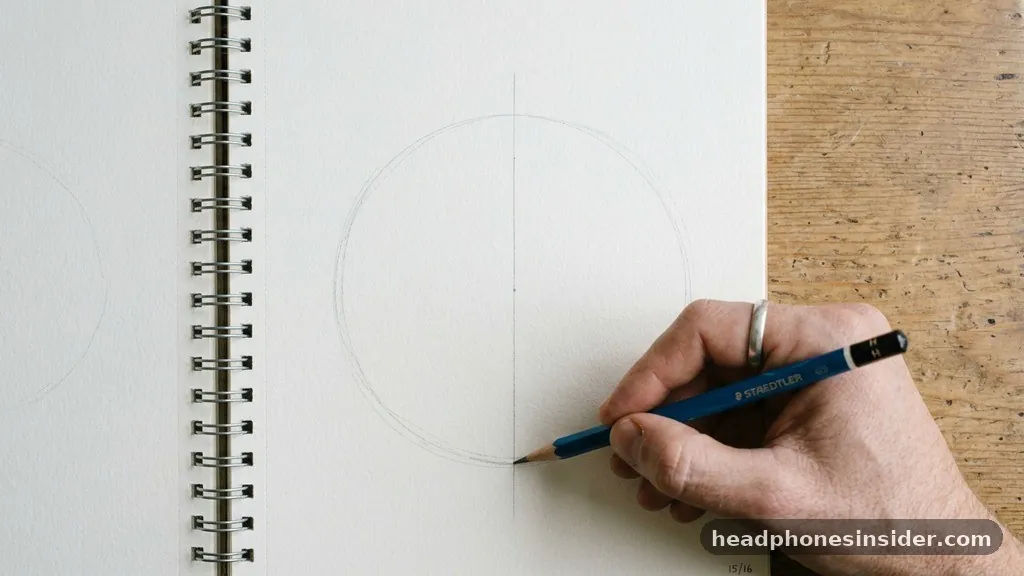
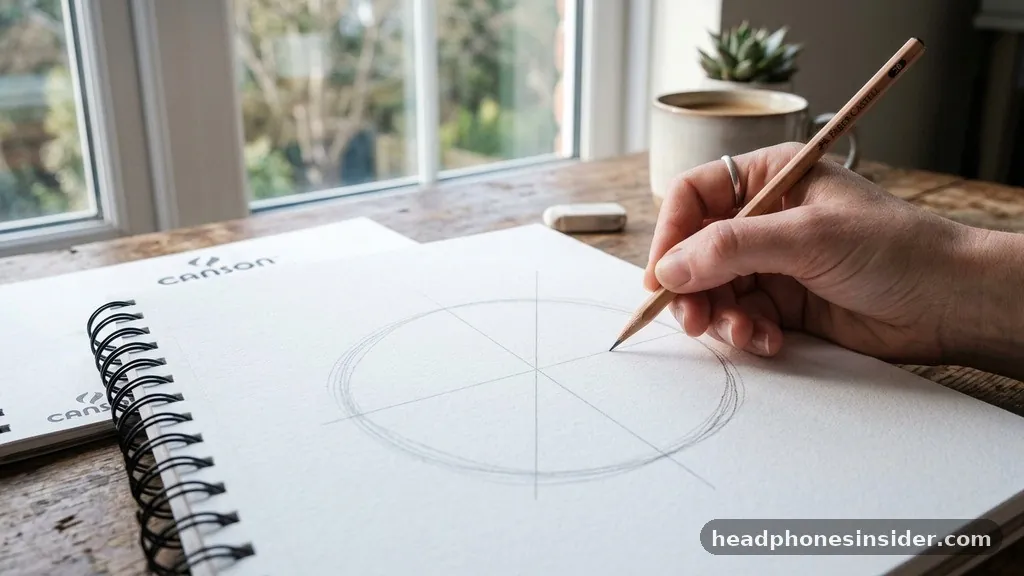
To draw headphones effectively, you must first establish the central axis and the primary geometric shapes that define the object’s silhouette. Start by drawing a light, vertical centerline on your paper to ensure symmetry, as headphones are inherently balanced. From here, sketch a large ellipse near the top of your page; this will serve as the guide for the headband arc.
It is important to keep your lines very faint at this stage, as you will be refining these shapes into a more complex structure later. Using a hard-grade graphite pencil, such as an H or 2H, will prevent you from carving deep grooves into the paper, making it easier to clean up your lines as the drawing progresses.
Once the headband guide is set, mark the positions for the ear cups. These should be placed at the ends of the headband, usually represented by two elongated oval construction forms. Think of these as the foundation for the D form or cylindrical shapes that will eventually become the finished ear pieces.
By visualizing the headphones as a series of connected 3D primitives, you avoid the common mistake of drawing them as flat, two-dimensional icons. Pay close attention to the distance between the ear cups and the center of the headband; keeping these measurements consistent across your central axis is the most critical step in achieving a realistic result.
Refining the Geometry and Perspective
Once the initial framework is in place, you can begin adding depth and perspective to your sketch. This is where you transition from basic shapes to the actual industrial design of the headphones. Start by thickening the headband arc, giving it a slight curvature that follows the natural shape of a human head.
As you refine the ear cups, consider the hinge mechanism where the headband connects to the ear pieces. This joint is often a point of mechanical interest and adds a layer of realism to your drawing. You can find detailed anatomical references for various hardware components at the Metropolitan Museum of Art to better understand how complex objects are constructed in a three-dimensional space.
To ensure your drawing looks accurate from every angle, you should apply the principles of a vanishing point if you are drawing the headphones at an angle rather than head-on. If the headphones are tilted, the ear cups will appear slightly foreshortened, meaning one will look larger or more round than the other.
Use contour lines to wrap around the cylindrical surfaces of the ear cups; these lines act as a map for your future shading techniques. By carefully defining the edges of the ear cushions, you create a sense of softness and comfort, which contrasts beautifully with the harder, more rigid lines of the plastic or metal casing.
Adding Detail and Mechanical Features
With the primary shapes established, it is time to focus on the finer details that give the headphones their character. This includes the hinge mechanism, the adjustment slides, and the cable wire. When drawing the adjustment slides on the headband, use small, parallel horizontal lines to indicate the notches that allow the user to change the size.
These small details are what separate a generic sketch from a convincing illustration. If you are drawing over-ear headphones, ensure the ear cushions look plush and thick, perhaps by adding a slightly rounded edge that extends beyond the hard shell of the ear cup.
The cable wire is another element that can add movement to your drawing. Instead of drawing a straight, stiff line, give the cable a gentle, organic S-curve or a series of loops. This breaks up the rigidity of the geometric shapes and makes the object feel like it belongs in a real-world environment.
If you want to suggest a modern, high-tech look, you might also include small buttons or ports on the side of the ear cup. Keep these features subtle; they should enhance the form, not distract from the overall silhouette. Use your graphite pencil to lightly indicate these features before committing to darker lines.
Applying Shading and Texture
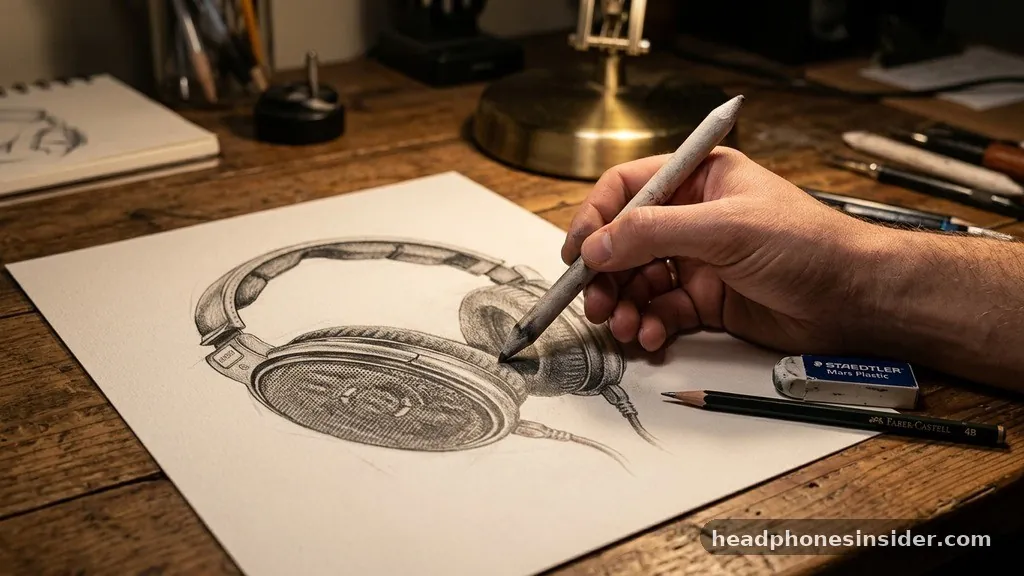
The transition from a flat sketch to a 3D-looking object relies heavily on your shading techniques. Before you begin, identify your primary lighting source to determine where the highlights will fall and where the shadows will gather. A common mistake is to shade everything equally; instead, use a blending stump to create smooth transitions between light and dark values.
For a metallic texture, you will need high-contrast lighting—sharp, bright white eraser highlights next to deep, dark shadows created with charcoal or soft graphite. This contrast mimics the way light reflects off polished surfaces.
For the ear cushions, which often have a matte finish or a soft, leather-like texture, use cross-hatching to build up the shadow gradually. Unlike the hard, sharp reflections on a metal band, the shadows on the cushions should be softer and more diffused.
Think about the negative space around the headband; sometimes, the most effective way to define an edge is to shade the background slightly, allowing the highlight on the headband to pop forward. Remember that the interior of the ear cup is a concave space, meaning it will likely be in deep shadow, providing a grounding point for the rest of the drawing.
Comparing Headphone Materials and Finishes
Different materials require different approaches when applying tone. The following table provides a guide for how to represent various surfaces found on headphones through shading and pencil pressure.
| Material | Shading Technique | Highlight Style |
|---|---|---|
| Polished Metal | High contrast, sharp edges | Bright, crisp white lines |
| Matte Plastic | Gradual, smooth gradients | Soft, diffused highlights |
| Leather/Foam | Cross-hatching, stippling | Minimal, texture-based light |
| Rubberized Cable | Consistent, cylindrical shading | Thin, pinpoint reflections |
By varying your technique based on the material, you add a layer of sophistication to your work. A matte finish requires you to be very patient with your blending, ensuring no harsh lines remain, whereas metal demands boldness. Use your eraser highlights to subtract graphite from the darkest areas, creating the illusion of reflected light that is essential for a professional look.
Common Challenges and How to Overcome Them
Many artists struggle with maintaining proportion when drawing objects with complex curves. If your headphones look lopsided, return to your reference images and re-check the distance between the ear cups and the central arc. A common issue is the “stiffness” of the drawing; to fix this, ensure your contour lines aren’t all perfectly straight.
Even rigid objects have slight variations in their form that make them look natural. If you find the drawing feels “flat,” it is usually because the lighting source is not clearly defined. Pick a single direction for the light and stick to it; if the light comes from the top-left, every shadow must be on the bottom-right.
Another hurdle is the complexity of the hinge mechanism. If you are struggling to draw it, simplify it down to a basic rectangle or square that connects the two main parts.
You can always add the finer details of the screws or pivots once the basic structure is sound. Remember that sketching paper quality can also impact your result; using a paper with a bit of “tooth” (texture) will help your graphite and charcoal adhere better, allowing for a wider range of tones and more complex shading techniques.
- Always start with a light centerline to maintain symmetry.
- Use an ellipse to map out the headband’s curve before adding detail.
- Keep your graphite pencil sharp for crisp edges on the ear cups.
- Use a blending stump to soften transitions on plastic or leather surfaces.
- Don’t be afraid to use negative space to define the outer edges of the headband.
- Check your proportion by holding your drawing up to a mirror.
- Focus on the hinge mechanism as a separate, distinct geometric part.
Mastering the Final Polish
The final stage of your drawing is about unifying the piece. Look at your highlights and ensure they follow the curvature of the ear cups. If a highlight is perfectly straight on a curved surface, it will look incorrect.
Use your eraser highlights to refine these shapes, making them follow the D form or cylindrical volume of the object. Take a step back from your work periodically; distance helps you see the overall perspective and balance that you might miss when working up close. If the headphones look like they are floating, add a faint shadow beneath the cable wire or the ear cups to ground them in the space.
Consistency in your line weight is also key. The lines that define the outermost edges of the headphones should be slightly thicker and darker than the lines used for internal details like buttons or texture seams. This creates a natural depth that makes the drawing feel three-dimensional.
As you wrap up, sign your work with confidence. Learning how to draw headphones is a journey of understanding how simple, everyday objects can be translated into art through careful observation and the application of fundamental drawing principles. By practicing these techniques, you build a foundation that will serve you well in any future technical drawing projects you undertake.
Frequently Asked Questions
How do I make my headphone drawing look more three-dimensional?
Focus on the lighting source and use a blending stump to create smooth gradients. Ensure you are using contour lines that wrap around the geometric shapes of the ear cups, which helps the viewer perceive the volume of the object rather than a flat, two-dimensional silhouette.
What is the best way to draw the headband arc accurately?
Start by sketching a large, faint ellipse as your guide. This helps you maintain a consistent curve. Use a light graphite pencil to draft the shape, and then refine the thickness by adding a second, parallel arc. This structure ensures the headband maintains perfect symmetry throughout the process.
How do I shade metallic parts of the headphones?
Create high-contrast areas by placing deep, dark shadows directly next to sharp, bright eraser highlights. Metallic surfaces reflect light intensely, so avoid soft, blurry gradients on these sections. Using a combination of charcoal for deep blacks and a clean eraser for highlights will give you the most realistic metallic texture.
What should I do if my headphones look lopsided?
Draw a vertical centerline through your sketching paper before you begin. Periodically compare the distance from this line to the left and right ear cups. If they are not equal, adjust your oval construction forms until they align, as this central axis is the foundation for a balanced, symmetrical drawing.