Maintaining the battery life of your audio gear is essential for an uninterrupted listening experience, and knowing exactly how to charge Beats headphones ensures you get the most out of your investment. Whether you are using the latest over-ear models or compact earbuds, the process is generally straightforward, though it varies slightly depending on the specific hardware generation you own.
Proper charging habits not only keep your music playing but also extend the overall lifespan of the lithium-ion batteries housed within these premium devices. Understanding the nuances of power delivery, cable compatibility, and status indicator lights will prevent common frustrations and help you keep your equipment in peak condition for years to come.
Identifying Your Charging Port and Cable Requirements
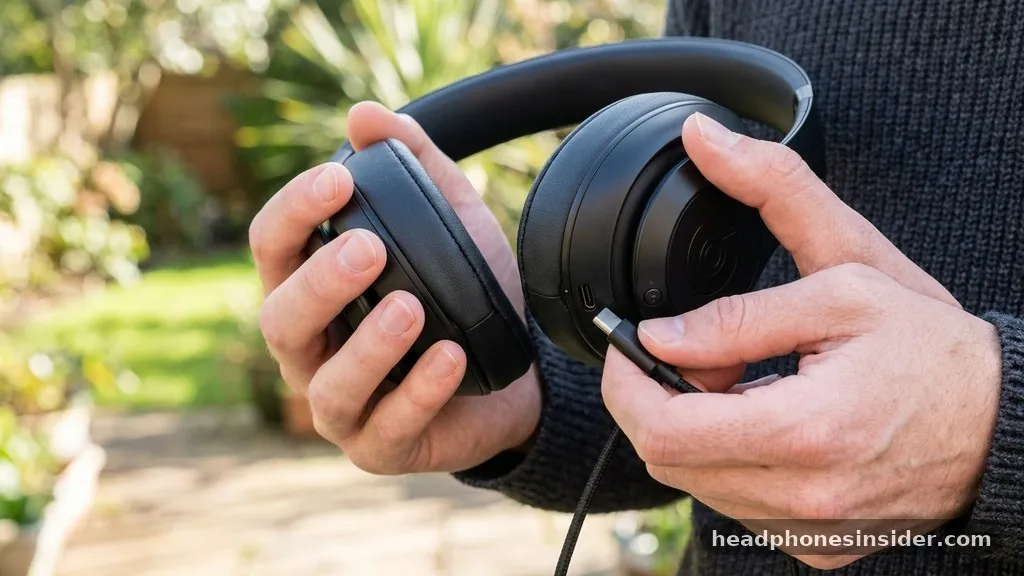
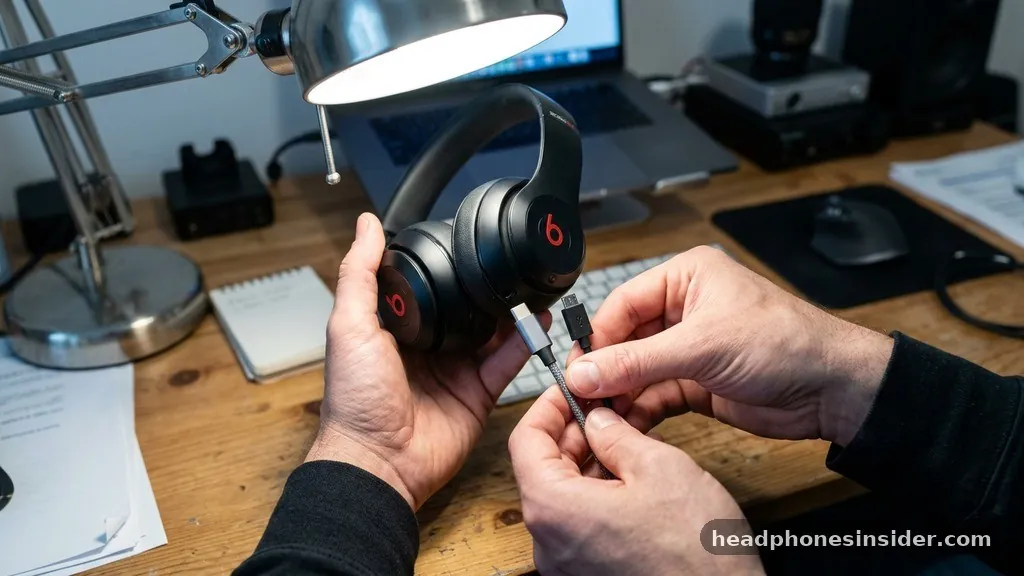
The most direct way to charge your Beats headphones is by identifying the specific port located on your device and matching it with the correct cable. Most modern Beats products, including the Beats Studio and Solo lines, have transitioned to standardized connectors, but older models may still rely on legacy hardware. To charge your device effectively, you must first distinguish between a Micro-USB port and the more modern USB-C interface.
USB-C ports are reversible and support significantly faster power transfer, which is a hallmark of newer releases. If you are uncertain about which cable your device requires, inspect the port shape: Micro-USB has a trapezoidal, keyed shape that only fits one way, while USB-C is symmetrical and oval-shaped.
Using the original charging cable included in the box is the safest way to ensure proper voltage delivery. While many third-party cables might fit, they are not always built to the same safety standards, and some may lack the necessary shielding to prevent data or power interference. When you connect your headphones to a power source, the device communicates with the charger to draw the correct amount of energy.
If you are using a wall adapter, ensure it is a reputable brand that meets local safety regulations. Avoid using damaged cords, as frayed insulation or bent pins can cause intermittent charging or, in extreme cases, internal damage to the charging port of your headphones.
Interpreting LED Status Lights During Charging
Every pair of Beats headphones features a system of LED lights designed to communicate the current battery status. Understanding these signals is the primary way to monitor how to charge Beats headphones efficiently. Typically, a solid red light indicates that the battery is low and currently charging.
Once the device reaches a full charge, this light will either turn white or turn off entirely, depending on your specific model. For wireless models like the Beats Solo or Studio, you can often check the battery level by pressing the power button briefly when the device is not plugged in. A white flash indicates a healthy charge, while a red flash warns that you are nearing the end of your playback time.
If your device is plugged into a power source but the light does not illuminate, there are several troubleshooting steps you should consider before assuming the hardware is faulty. First, ensure the connection is secure at both the wall adapter and the headphone port. Sometimes, lint or debris can accumulate in the charging port, acting as a physical barrier that prevents the metallic contacts from meeting.
Use a small, non-conductive tool like a wooden toothpick to gently clear any obstructions. If the light still fails to turn on, try a different power outlet or a different USB cable to isolate whether the issue lies with the power source, the cable, or the headphones themselves.
Optimizing Fast Charging for Beats Studio and Solo Models
Modern Beats headphones are engineered with a feature known as Fast Fuel, which allows you to gain significant playback time from just a few minutes of charging. This is an invaluable feature for users who are constantly on the move. When you are in a rush and need to know how to charge Beats headphones for an immediate workout or commute, simply connect the device to a power source for ten minutes.
This short burst can often provide up to three hours of listening time. To take full advantage of this, ensure you are using a high-quality wall adapter that can output at least 5 watts of power.
It is important to note that fast charging is most effective when the battery is significantly depleted. As the battery approaches its full capacity, the charging speed naturally tapers off to protect the longevity of the lithium-ion cells. This is a standard safety protocol built into the firmware of your device.
Avoid keeping your headphones plugged into a power source indefinitely after they have reached 100% capacity. While modern charging circuits are designed to prevent overcharging, consistent heat buildup from leaving a device connected to a charger for days at a time can degrade the battery chemistry over time.
| Model Category | Primary Port Type | Average Charge Time (0-100%) |
|---|---|---|
| Beats Studio Pro | USB-C | Approx. 2 Hours |
| Beats Solo 4 | USB-C | Approx. 2 Hours |
| Powerbeats Pro | Lightning / Case | Approx. 1.5 Hours |
| Beats Flex | USB-C | Approx. 1.5 Hours |
Managing Charging for Wireless Earbuds and Cases
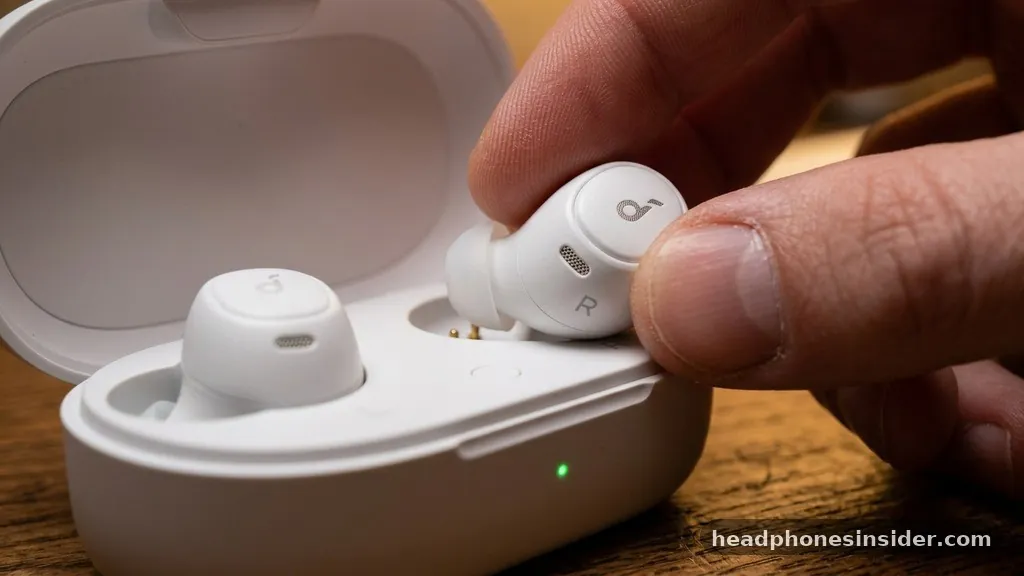
Charging earbuds like the Powerbeats Pro or Studio Buds requires a slightly different approach because the process involves both the case and the internal batteries of the buds themselves. The case acts as a portable power station. To charge your earbuds, place them firmly into the designated slots within the charging case and ensure the lid is closed.
The LED light on the case will indicate that the buds are drawing power. If the case itself is out of juice, you will need to plug the case into a power source using a compatible cable. This dual-layer charging system ensures that your earbuds remain topped off as long as the case has enough residual energy.
One common mistake users make is failing to clean the metal contact points on the earbuds and inside the case. Over time, skin oils and moisture can create a thin film on these contacts, which prevents the case from recognizing the earbuds. If you notice one earbud is not charging while the other is, take a soft, dry cloth and gently wipe the contact pins.
This simple maintenance task often resolves the issue instantly. Always keep the case closed when charging to ensure the internal magnets hold the earbuds in the optimal position for the pins to make a solid connection.
Addressing Power Issues and Charging Limitations
If you find yourself in a situation where you need to charge your headphones but lack the standard cable, you might wonder about the feasibility of using alternative methods. While it is tempting to try various adapters or non-standard cables, doing so can be risky. Charging Beats headphones requires a stable 5V DC input.
Using a high-voltage laptop charger that is not designed for mobile accessories could potentially overwhelm the protection circuits in the headphones. Always prioritize using a certified USB power adapter or a computer port that is rated for device charging.
It is also worth noting that some ports on older computers or peripheral devices may not provide enough amperage to charge the headphones effectively. If you are trying to charge via a keyboard port or a passive USB hub, the power output might be insufficient. Always connect directly to a dedicated wall charger or a primary USB port on a laptop or desktop computer.
If you have lost your original cable, purchase a high-quality replacement that specifically lists your model as compatible. Cheap, unbranded cables often lack the necessary internal wiring for efficient power transfer, leading to extremely slow charge times or constant disconnection.
Best Practices for Battery Longevity
To ensure your Beats headphones provide consistent performance throughout their lifecycle, you should adopt a few simple battery management habits. Lithium-ion batteries perform best when they are not subjected to extreme temperatures. Avoid leaving your headphones in a hot car or in direct sunlight, as high heat is the primary enemy of battery health.
Similarly, extremely cold environments can cause the battery to discharge faster than normal. If you are not planning to use your headphones for an extended period, it is better to store them with a charge level of around 50% rather than leaving them completely depleted or fully charged for weeks on end.
- Always use the provided cable or a certified replacement to prevent voltage spikes.
- Keep the charging port free of dust, lint, and moisture to ensure a reliable connection.
- Avoid leaving your device plugged in for extended periods after it has reached a full charge.
- Store your headphones in a cool, dry place to protect the chemical integrity of the battery.
- Update your device firmware when prompted, as manufacturers often release patches that improve battery management.
By following these guidelines, you can significantly extend the time between battery replacements and ensure that your listening experience remains consistent. If you ever notice that your headphones are failing to hold a charge even after a full cycle, it may be time to contact official support channels to determine if the battery has reached the end of its natural service life. Being proactive about how you handle power delivery is the best way to protect the longevity of your audio equipment.
Conclusion
Mastering the process of keeping your audio gear powered is a simple yet vital part of owning high-quality hardware. By identifying the correct cable type, maintaining clean charging ports, and understanding the LED indicators, you can eliminate the guesswork and ensure your device is always ready when you need it. Whether you are using the latest over-ear models or the compact convenience of wireless earbuds, these maintenance habits will go a long way in preserving the health of your battery.
If you follow the guidelines regarding temperature management and the use of authorized charging accessories, you will find that your equipment remains reliable for years to come. Should you encounter persistent issues despite following these steps, checking for firmware updates or consulting official support remains the best path forward for long-term satisfaction.
Frequently Asked Questions
Can I charge my Beats headphones using my iPhone charger?
Yes, you can safely use an Apple iPhone wall adapter to charge your Beats headphones. Since these adapters are designed to output a stable 5V current, they are perfectly compatible with the charging requirements of almost all Beats products, provided you have the correct cable to connect the two devices.
What should I do if my Beats headphones won’t charge?
First, try using a different wall adapter and a different charging cable to rule out hardware failure. If that fails, inspect the charging port on the headphones for debris or lint. Gently clean the port with a dry, non-conductive tool and attempt to charge the device again.
How do I know when my Beats are fully charged?
The LED indicator light on your Beats headphones will provide the answer. For most models, a solid red light indicates that the device is charging, while the light will turn white or turn off completely once the battery has reached its full capacity and the charging cycle is finished.
Are there any risks to leaving my Beats plugged in overnight?
While most modern electronic devices have built-in protection circuits to prevent overcharging, it is generally recommended to avoid leaving your headphones plugged in for extended periods after they reach 100%. Excessive heat from constant trickle-charging can eventually reduce the overall capacity and lifespan of the internal lithium-ion battery.